
You are running your shrink packing machine at full speed, watching film wrap smoothly around each product, when suddenly — the cutting blade slices right into the product itself. It ruins the pack, damages the goods, and stops production cold. If this has happened on your line, you know the frustration. The question is: why does a shrink packing machine cutting blade cut into products, and how do you stop it from happening again?
This problem is more common than many operators realize. And the root causes usually come down to a few specific areas.
Three Common Reasons a Shrink Packing Machine Cuts Into Products
When a shrink wrapping machine cutting blade makes contact with the product instead of just the film, something in the system is out of alignment. Based on field experience with high-speed shrink packing machines, here are the usual suspects.
1. The Cutter Height Is Set Incorrectly
The most straightforward cause is simply that the cutting blade is positioned too low. If the knife height is not calibrated properly for the product size, the blade will strike the product rather than sealing and cutting just above it.
This often happens after a product changeover. Operators adjust the infeed and film parameters but forget to verify the cutter elevation. The result? The blade catches the top or edge of the product, leaving visible damage or completely destroying the pack.
Solution: Adjust the knife elevation to match the product height. Always verify cutter clearance after any size change on your shrink packing machine.
2. Feeding and Cutting Timing Are Out of Sync
On older or mechanically driven shrink packing machines, the relationship between product feeding and blade actuation is fixed by cams and gears. When that timing drifts — or when the machine is pushed beyond its design speed — the blade can close before the product has fully cleared the sealing area.
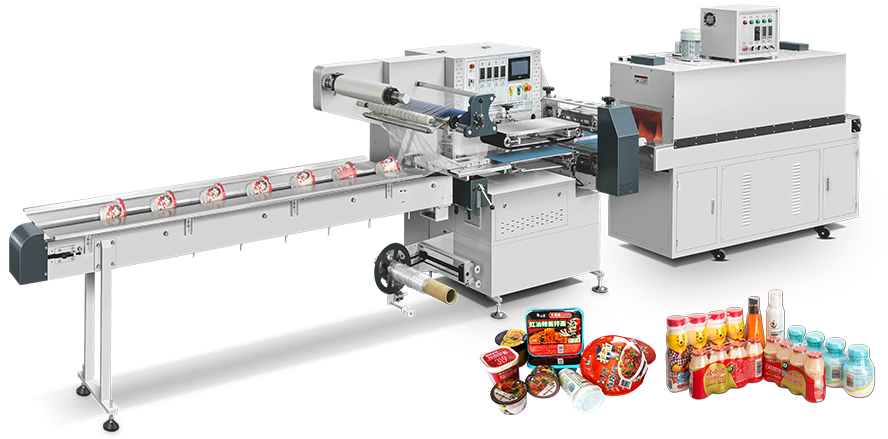
This is where modern servo-driven systems make a real difference. A three-servo shrink packing machine uses independent servo motors to control the feeding conveyor, the sealing cutter, and the film delivery. The timing between these motions is managed electronically through the PLC touch screen, not by mechanical linkages.
Solution: On servo-controlled machines, revise the servo parameters for cutting timing directly on the touch screen. On mechanical machines, you may need to adjust cam timing — a more time-consuming process.
3. Products Are Entering the Machine Skewed
Sometimes the shrink wrapper blade is perfectly calibrated, but the products themselves are arriving at an angle. If the infeed conveyor is misaligned or the product guide rails are loose, items can enter the sealing station crooked. The blade then cuts across the product instead of cleanly sealing the film behind it.
Solution: Check and fix the front limiting baffle to ensure products feed straight. Also verify that the infeed conveyor is square to the sealing station.
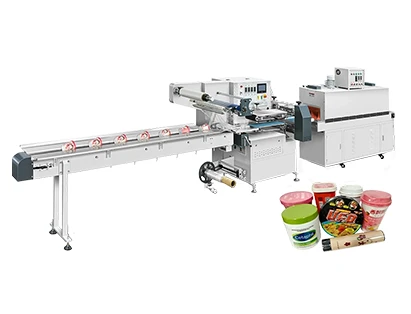
Why Modern Shrink Packing Machines Are Less Prone to This Problem
If you are still running an older mechanical shrink packing machine, product damage from blade misalignment may be a recurring headache. Newer high-speed shrink packing machines are designed to minimize these issues from the start.
Electronic Torque Anti-Cutting Protection
One of the most valuable features on advanced shrink wrapping equipment is electronic torque monitoring on the horizontal knife. If the blade encounters abnormal resistance — such as hitting a product instead of just film — the system detects the torque spike and stops the knife immediately. This not only prevents product damage but also protects the sealing mechanism itself.
The Positioning Stop Function
Another safeguard is the positioning stop function. When the shrink packing machine detects an irregularity — perhaps a product that is out of position or an empty gap in the infeed — it stops the sealing cycle before the blade engages. This prevents the knife from closing on nothing (which can burn the film) or on something it shouldn't cut.
No Mechanical Eccentric Device
Traditional shrink packing machines rely on mechanical eccentric devices to adjust for different product lengths. Changing these settings requires wrenches, trial runs, and a fair amount of guesswork. Modern servo-driven shrink wrappers eliminate this entirely. Adjustments are made through the control panel, reducing the chance of human error during changeovers.
A Quick Troubleshooting Checklist for Your Shrink Packing Machine
If your shrink packing machine cutting blade is cutting into products right now, here is what to check in order:
1. Verify knife height — Is the blade elevation correct for the current product size?
2. Check servo timing — On servo-controlled machines, confirm the cutting timing parameters on the PLC screen. On mechanical machines, inspect cam alignment.
3. Inspect product feeding — Are products entering the sealing station straight? Check guide rails and the front limiting baffle.
4. Test the torque protection — If your machine has electronic torque anti-cutting, test it with a soft object to confirm it triggers properly.
5. Review recent changeovers — Did anyone adjust the cutter or film path without updating the corresponding settings?
What to Look For When Buying a Shrink Packing Machine
If you are in the market for a new shrink packing machine, product damage from blade misalignment should be on your radar. Here is what to prioritize:
·Servo-driven design — Three-servo closed-loop control gives you independent adjustment of feeding, cutting, and film delivery, with ±1mm precision.
·Electronic torque protection — This feature stops the blade when it hits unexpected resistance, protecting both products and the machine itself.
·PLC touch screen with recipe storage — One-key changeover and stored product recipes reduce setup errors that lead to blade misalignment.
·Alloy steel single blade cutter — Durable, high-temperature-resistant, and easy to clean and replace.
Summary
A shrink packing machine cutting blade that damages products is not just an annoyance — it costs you material, time, and trust in your equipment. The good news is that most causes are preventable. Whether it is adjusting knife height, syncing cutting timing, or ensuring straight product feeding, the fixes are straightforward once you know where to look.
On modern servo-driven shrink wrapping machines, features like electronic torque anti-cutting and positioning stop functions make accidental product damage far less likely. And when issues do arise, the PLC touch screen puts adjustments at your fingertips — no wrenches required.
What to take away:
·Incorrect cutter height, asynchronous timing, and skewed product feeding are the three main causes
·Servo-controlled machines allow timing adjustments through the touch screen, not mechanical parts
·Electronic torque protection stops the blade before it damages products
·Always verify cutter clearance after any product changeover
Looking for a Shrink Packing Machine That Won't Damage Your Products?
If you are tired of dealing with product damage, frequent adjustments, and downtime on your current shrink packing machine, it might be time for an upgrade. Our team can help you evaluate your production needs and recommend a high-speed shrink packing machine with the features that actually protect your products — not just wrap them.
Contact our technical team to discuss your product sizes, output targets, and any custom configuration requirements. We will help you find a shrink packing machine solution that keeps your line running smoothly and your products intact.